R24Compliance Computer
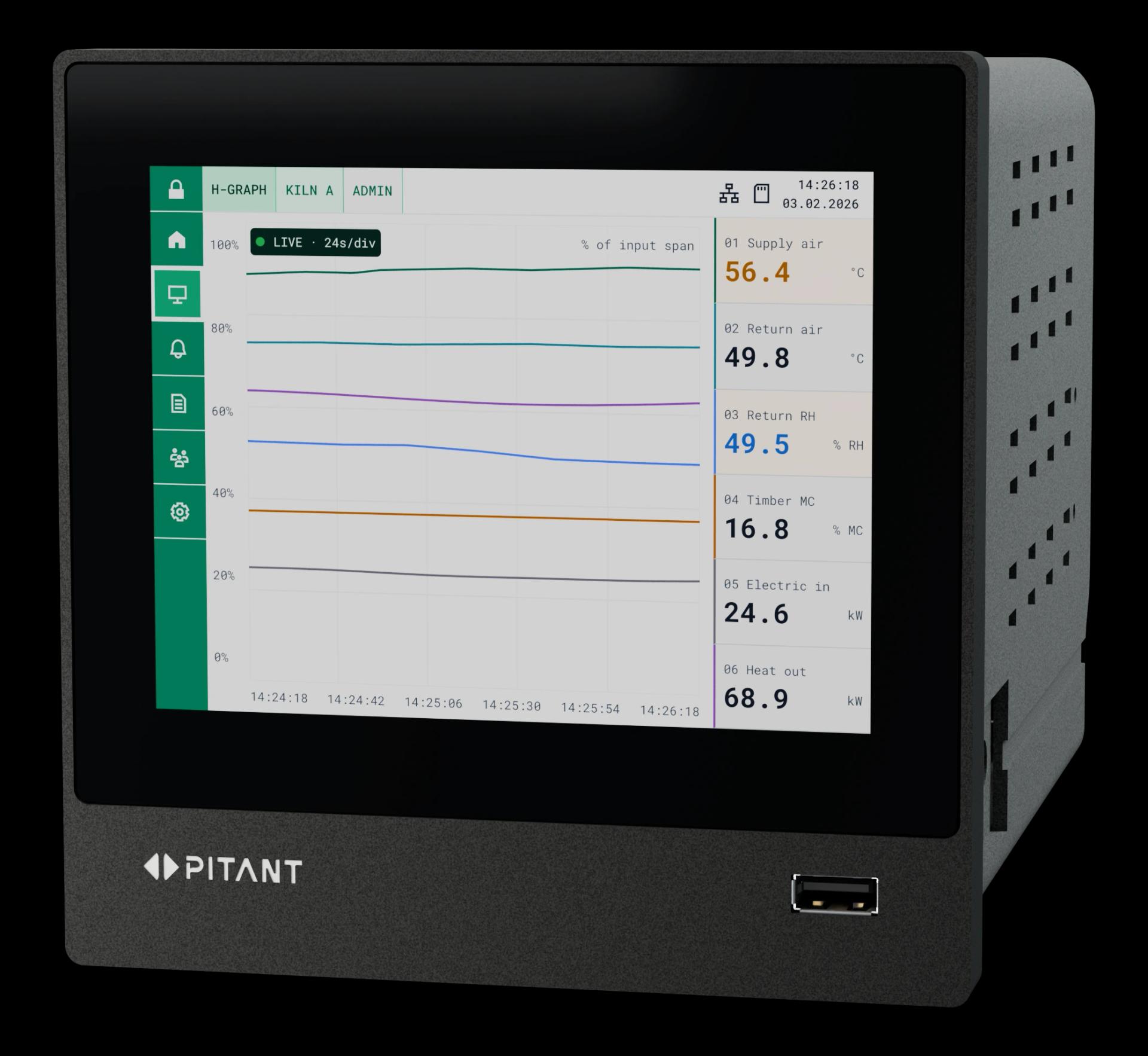
The R24 is a panel-mounted paperless recorder for industrial process data. It accepts 8–24 universal inputs and links measurements to a lot or batch number. Operators can review trends on the touchscreen and export CSV data and PDF reports.
- Inputs
- 8–24 universal channels
- Signals
- Thermocouple · RTD · mV/V · mA. Frequency and binary modes depend on the input card.
- Recording
- 48 channels · 100 ms
- Connectivity
- Modbus TCP/RTU · Secure Modbus TCP · OPC UA
- Data formats
- RDBF archives · CSV data · PDF reports

Process data, recorded and reviewed at the panel.
Review live process values and daily archives on the touchscreen. Apply calculations, alarms and PID control, then export CSV data and PDF reports or connect to PLC and SCADA systems through Modbus.
Recording, alarms and connectivity
Record process values and individual batches, calculate energy on the device, and connect to existing plant systems. The recorder demos follow a heat-pump timber kiln using example readings.
Calculations, alarms and reports
From live signals to event history
Record calculated values alongside measured signals. Use built-in totalisers to track cumulative flow or consumption.
- Calculations
- Arithmetic, comparisons, logic, aggregates and temperature conversions
- Alarms
- Set four limits per channel (LL, L, H and HH) with configurable hysteresis and sample confirmation. Build advanced alarm rules from calculated channels.
- Reports
- Use the Archive Viewer to export statistics, events and alarms as CSV or PDF.


03.02.2026
 2 active alarms
| PEN | LIMIT | LEVEL | VALUE | UNIT |
|---|---|---|---|---|
| 03 Return RH | 50.0 | L | 49.5 | % RH |
| 01 Supply air | 56.0 | H | 56.4 | °C |
Continuous recording
Track process changes as they happen
Record measurements and calculated values, then review trends at the recorder.
- Recording capacity
- 48 shared channels for measurements and calculated values
- Recording interval
- 100 ms configured interval (10 samples/s per recording channel)
- Archives
- Daily RDBF files and CSV history export


03.02.2026
 LIVE · 24s/div
Batch recording
Find and review each production run
Capture individual runs. Search by lot, batch number or date, then review trends and export CSV.
- Batch capture
- Up to 8 equipment setups. Start by hand or trigger from a Modbus coil or recording channel.
- Operator attribution
- Named accounts identify operators who start and finish a batch manually.

03.02.2026
On-device energy calculations
Track heat output and operating efficiency
Record calculated energy values alongside their inputs. In a heat-pump kiln, compare heat delivered with electrical input to track the coefficient of performance (COP) through the drying run.
- Steam & thermal
- Calculate steam properties, boiler efficiency, heat-exchanger duty, turbine output and net heat rate.
- Fuel-gas energy
- Calculate gross gas energy rate from flow, composition and heating value.
- Model library
- 26 model types with up to 24 instances across gas and flow, production, and thermal models.
03.02.2026
Plant connectivity & cybersecurity
Connect to PLC and SCADA systems
Connect the recorder to PLC and SCADA systems over Ethernet or isolated RS-485. Secure Modbus TCP supports TLS with certificate-based authentication. The R24 is designed to be compliant with IEC 62443.
- Standard interfaces
- Modbus TCP over Ethernet and Modbus RTU over RS-485
- Modbus Security (TLS)
- TLS-protected Modbus TCP with certificate-based authentication
- OPC UA
- Read-only access to live process values
- Protocol add-ons
- DNP3 and PROFINET on request
Panel installation
Built for the panel
Mount the recorder indoors in a protective industrial panel and select the supply to match the cabinet.
- Supply variants
- 100–240 VAC, 50/60 Hz, or a separately ordered 24 VDC model
- Connections
- Ethernet, RS-485 and USB Type-A
- Mounting
- Indoor installation inside a protective industrial panel
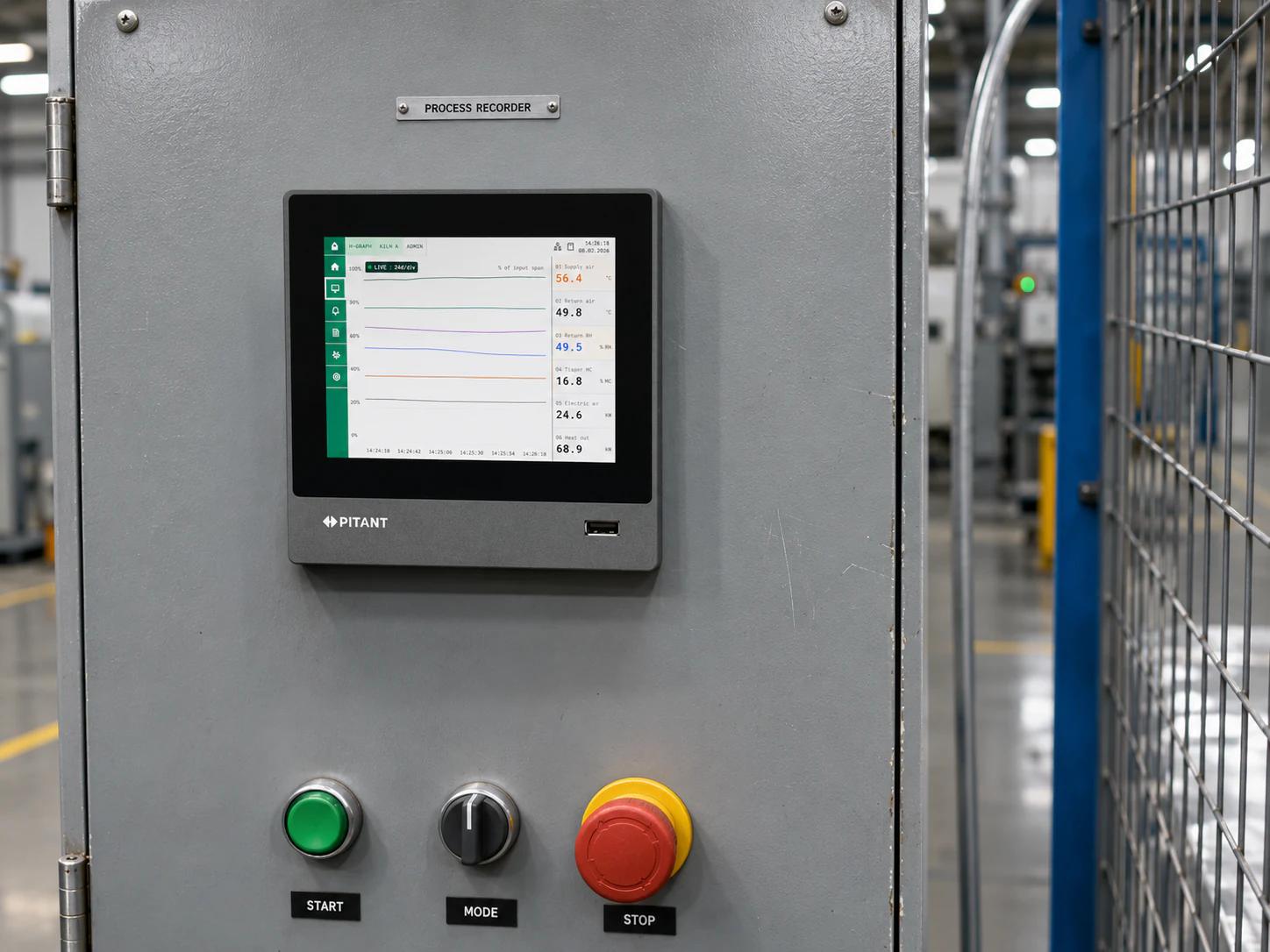
Specifications at a glance.
Input configuration, recording and installation.
Inputs
- Analogue inputs
- 8–24 universal analogue inputs, depending on configuration
- Input signals
- Thermocouples, RTDs, voltage and current
- Frequency and binary
- Frequency and binary modes on supported input cards
- Acquisition
- Sequential polling across fitted inputs
Input scaling and conversion
- Thermocouples B and E
- B: 0 to 1,820 °C · E: −270 to 1,000 °C
- Thermocouples J and K
- J: −210 to 1,200 °C · K: −270 to 1,370 °C
- Thermocouples N and T
- N: −270 to 1,300 °C · T: −270 to 400 °C
- Thermocouples R and S
- R and S: −50 to 1,760 °C
- RTD wiring
- 2- or 3-wire connections
- Platinum RTD conversion
- Software span for Pt100 and Pt1000: −200 to 860 °C
- Other RTD conversion
- Software spans: jPt100 −100 to 500 °C · Ni100 −100 to 420 °C · Cu10 −100 to 260 °C
- Millivolt
- ±20 mV · ±100 mV
- Voltage
- 0–1 V · ±1 V · 0–5 V · 1–5 V · 0–10 V · ±10 V · 0–20 V · ±20 V
- Current
- 0–5 mA · 0–20 mA · 4–20 mA
Functions
- Calculations
- Expressions and 26 engineering model types
- Totalisers
- 16 totalisers for flow or consumption
- Local access
- Up to 8 named recorder accounts
- Alarm thresholds
- Four thresholds per pen (LL / L / H / HH) with hysteresis and sample confirmation
Recording & export
- Recording channels
- 48 Float32 pens shared by measured and calculated values
- Recording interval
- 100 ms configured interval (10 samples/s per recording channel)
- History and reports
- RDBF or CSV history exports. CSV and PDF reports in the Archive Viewer.
- Batch records
- Manual or signal-triggered runs with searchable history and CSV export
- Export port
- USB Type-A only, using a flash drive
Connectivity
- Modbus TCP
- Server over Ethernet for up to 4 clients
- Modbus RTU
- Responder over isolated two-wire RS-485
- Secure Modbus TCP
- TLS with certificate-based authentication
- OPC UA
- Read-only server for live process values
- Physical interfaces
- 10/100 Ethernet, isolated two-wire RS-485 and USB Type-A host
- Protocol add-ons
- DNP3 and PROFINET on request
Outputs & control
- Relay outputs
- SPDT changeover contacts (NO / COM / NC)
- Analogue outputs
- 0–20 mA and 4–20 mA on fitted analogue output cards
- PID control
- PID control on fitted analogue outputs
Display & installation
- Display
- Colour touchscreen with live and historical trends
- Display groups
- 8 configurable groups
- AC supply
- 100–240 VAC nominal at 50/60 Hz
- DC supply
- 24 VDC model, ordered separately
- Mounting
- Indoor installation inside a protective industrial panel
- Analogue inputs
- 8–24 universal analogue inputs, depending on configuration
- Input signals
- Thermocouples, RTDs, voltage and current
- Frequency and binary
- Frequency and binary modes on supported input cards
- Acquisition
- Sequential polling across fitted inputs
Documents and drawings.

R24 technical sheet
Inputs, recording, installation and conformity.
Language: English
Version: V1.3
EU Declaration of Conformity
Signed 24 November 2026. AC and DC variants.
Language: English
Version: Rev 03
R24 Modbus register map
Read-only Modbus TCP and RTU register map for firmware 1.2.36, source revision 63ce02b9.
Language: English
Version: V1.2

R24 Modbus registers (CSV)
CSV register list for firmware 1.2.36, source revision 63ce02b9.
Language: English
Version: V1.2